

Artisan Vine
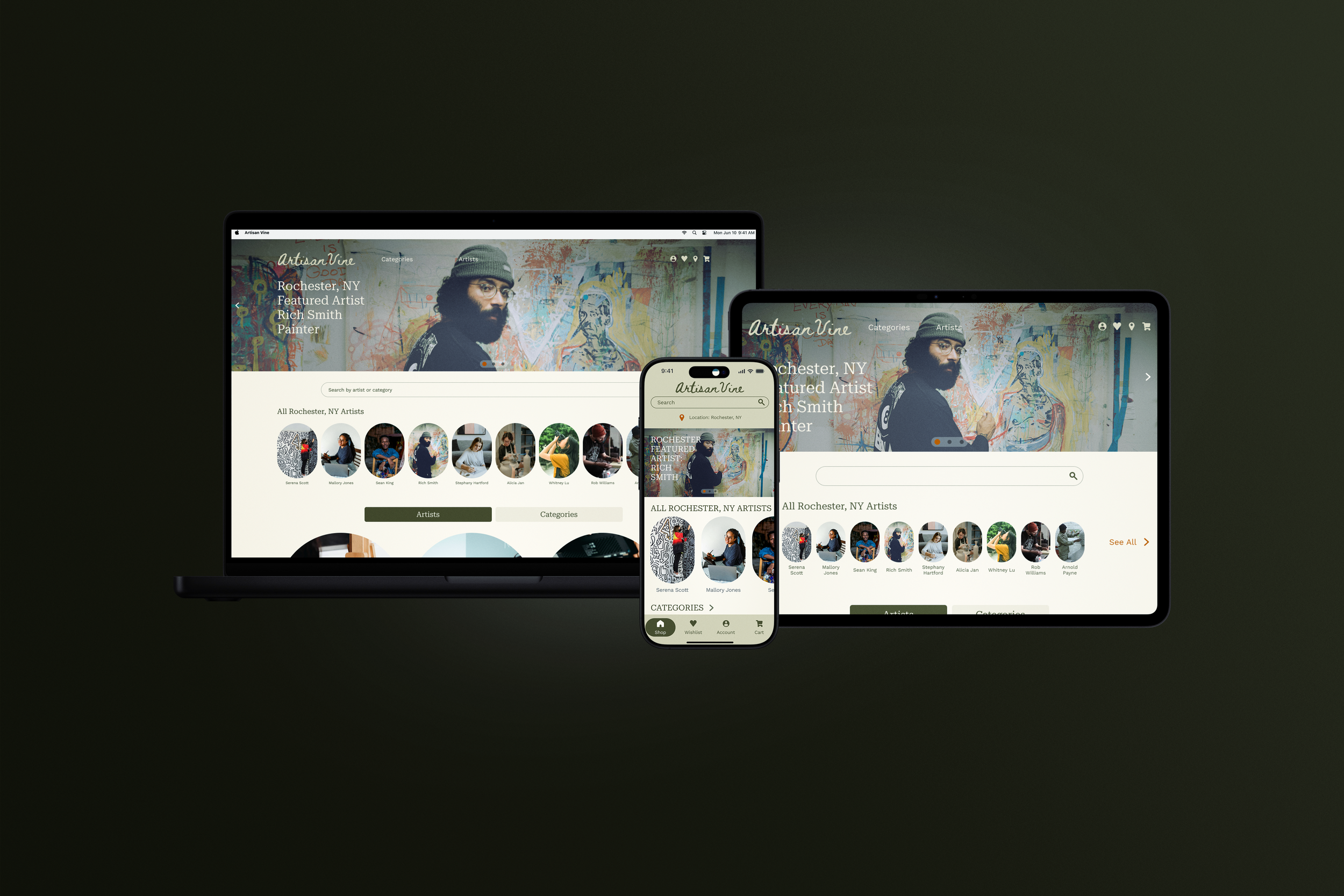
My role: Lead UX Designer & Researcher
Responsibilities: Research, Wireframing, Prototyping, Testing
Project duration: February 2024-August 2024
The product: An art gallery shopping app specific to connecting local artists with their community.
The problem: Overconsumption of commercialized mass art production and the disconnect between local artists and their community.
The goal: Create a Local Art Gallery app to help connect local artists with the people in their community in a way that is digitally convenient and forms a personal attachment.
User Research
Questions
How long does it take the user to find a product they want to order and complete the ordering process?
Does the amount of images and description create a connection to the artist and their work
Does the AR feature improve the user’s connection to the artwork?
What can we learn about the steps the user takes to find an artwork they want?
Pain Points
Difficult to see fine details online
Apps lack a personal feel
Difficult to see the true scale of artwork
Easy to feel overwhelmed with options
Summary
By conducting interviews, we were looking to create an understanding of how our users feel about purchasing local bespoke art, and how they feel about interacting with applications that sell art today. Before interviewing the participants, I assumed that most users would prefer purchasing art in person rather than online because of the qualities visible in artworks that typically translate best in person. After conducting interviews I found my assumption to be true in that participants strongly felt that they would be open to purchasing more art using an app if it was able to mimic the in person experience more closely.
Persona
Olivia is a graphic designer who needs to decorate her apartment with local art without going to a store because she loves supporting local artists and she doesn’t have time to shop in person.
User Journey Map
Mapping out the flow of Olivia’s journey revealed the benefits of creating an app that improves the search experience for users and revolves more around the detail and story of the art rather than the buying process.
Design
User Flow
Paper Wireframes
Drafting iterations of each screen on paper first helped determine the key elements of each screen that should make it to digital wireframes. For the home screen, I prioritized large imagery to show the details of each artwork, which addresses user pain points.
Mobile
Web
Tablet
Digital Wireframes
As the initial design phase continued, screen designs were based on feedback and findings from the user research.
Key Features
Large image a local artist on the home screen to communicate that the site is artist centered.
Displaying art categories and artists on the home screen for easy access.
Key Features
Videos and large images varying in zoom and context allow the user to see all details.
This button allows the user to employ AR technology to view the artwork in their space.
Thorough descriptions of each artwork so that the user gets the full story.
Usability Study #1
Insights
Users need more detailed labeling.
Users need a more intuitive way to access a specific artist’s page.
Users need a clearer flow through the checkout process.
Users need a more intuitive way to find the AR feature.
Action Items
Add clearer labels & sub-labels.
Increase elevation of the most important info.
Add a confirmation message before automatically taking the user to their cart after adding an item.
Call more attention to the benefits of the AR feature.
Design Refinement
Development of High Fidelity Frames & Usability Study #2
Insights
Users need elevated navigation.
Users expect the “Explore” section to be at the top level.
Action Items
Simplify the navigation and expose the main pathways at the top level.
Move “Explore” section to the homepage instead of the art categories & artist types page.
Accessibility Considerations
High color contrast wherever possible
Included heading callouts for clear hierarchy in lo-fi wireframes to pass off to development
Will include alt text for images in specs passed off to development
Final High-Fidelity Frames & Prototypes
Next Steps
Release to users
Receive feedback from the real world
Make improvements based on real user feedback