

Silver Strides
My role: Lead UX Designer & Researcher
Responsibilities: Research, Wireframing, Prototyping, Testing
Project duration: September 2024-October 2024
The product: A rideshare and delivery app specifically for seniors.
The problem: Non-tech savvy users struggle to use existing applications because they’re overwhelming and confusing.
The goal: This rideshare and delivery app will let users easily obtain groceries and visit their doctors by simplifying the process and allowing them to maintain their sense of independence.
User Research
Questions
How long does it take the user to input their address and complete the ride booking process?
How long does it take the user to find a product they want to order and complete the ordering process?
What can we learn about the steps the user takes to find an item they want?
Does the simplified/minimal layout relieve the user from feeling overwhelmed?
Does the user feel satisfied with the included safety features?
Pain Points
Apps are too complicated & intimidating.
Don’t want to drive too far.
Reliant on family/friend’s free time.
Trust & security issues with rideshare & delivery.
Delivery & rideshare costs too much.
Summary
By conducting user interviews, we were looking to create an understanding of how users feel about the current options available to them for grocery shopping and doctor visits. Before interviewing the participants, I assumed that most users had minimal understanding of apps and that our users would mostly be completely non-driving. After conducting the research, I found that this assumption wasn’t fully true. I learned that there are many potential users that still have the ability to drive, but choose not to for personal reasons, so the app could work for a larger audience than I initially thought and could offer more options for the “in the middle” users.
Persona
Susan is a spunky single woman who needs to maintain her sense of independence while getting groceries and going to doctor appointments because her current method isn’t always reliable.
User Journey Map
Mapping out the flow of Susan’s journey revealed the benefits of creating an app that simplifies the experience of booking delivery and ride services for senior citizens.
Design
User Flow
Paper Wireframes
Drafting iterations of each screen on paper first helped determine the key elements of each screen that should make it to digital wireframes. I prioritized accessibility features like large font size, and large touch-target size for buttons to make each step clear.
Digital Wireframes
As the initial design phase continued, screen designs were based on feedback and findings from the user research.
Key Features
Large touch-target for buttons.
Large font size.
Few options within each step to not overload the user.
Access to help on most screens.
Key Features
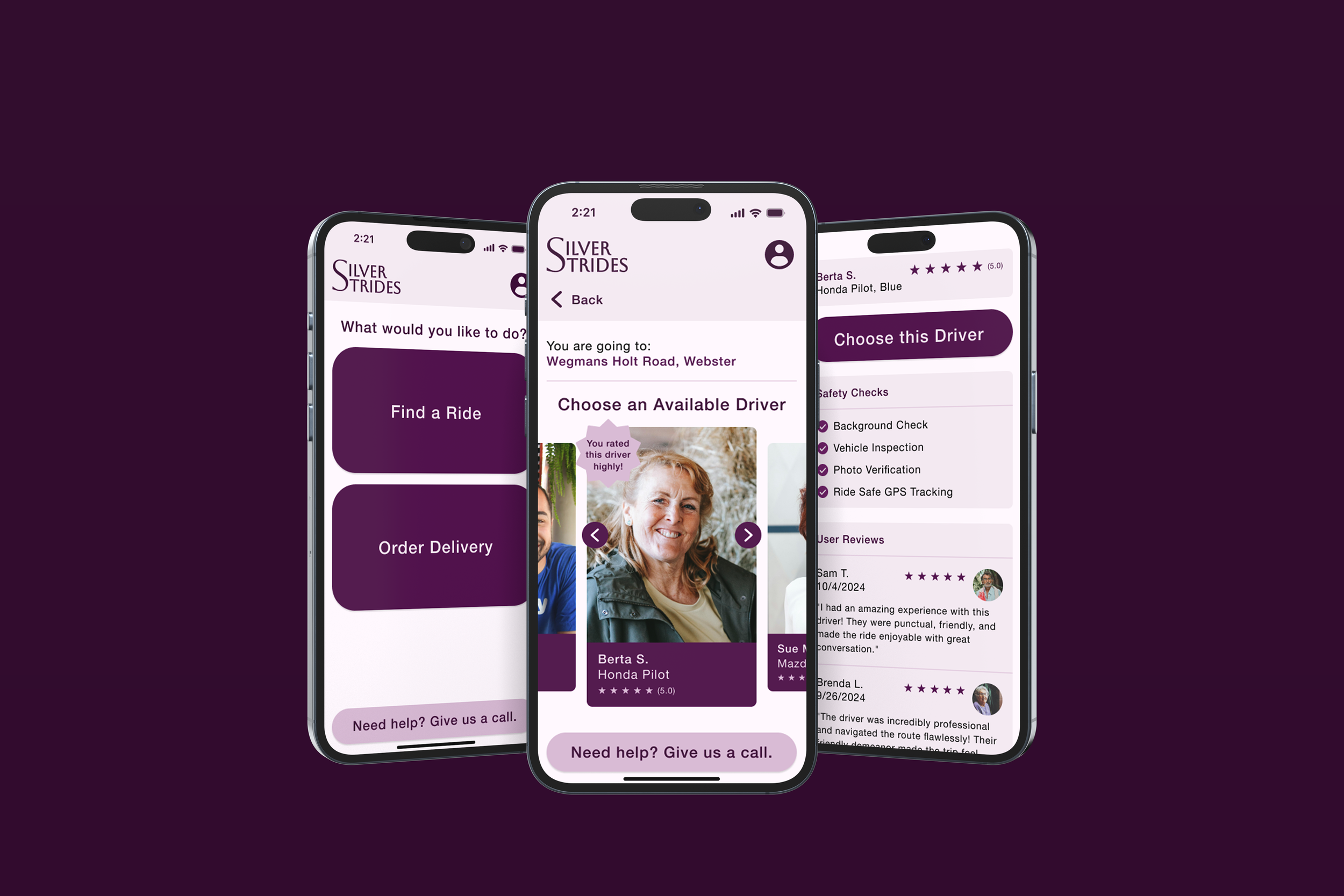
Allowing the user to choose a driver and providing extensive driver information will help users feel more secure in their ride or delivery process.
Showcase drivers that users have previously liked.
Include extensive list of safety checks.
Include reviews from other users to build confidence in your driver.
Usability Study
Insights
Users need clear pathways upfront instead of an overview.
Users need clear navigation to return to all screens.
Users need a more intuitive way to input an address.
Users need a clearer path for choosing items and a driver for delivery.
Action Items
Emphasize ride and delivery pathways on first screen.
Add “back” buttons to all screens.
Add an additional screen for each method of inputting an address before seeing the results.
Change delivery pathway so that you choose items and checkout before selecting a driver
Design Refinement
Development of High Fidelity Frames & Usability Study #2
Insights
Users need slightly more information within each step.
Users aren’t seeing the interactivity of the “help” button.
Action Items
Add more detail to the search results for quicker decision making.
Change the shape of the “help” button to make it appear more interactive.
Accessibility Considerations
High color contrast of icons and text to background.
Large touch target size.
Large font size.
Final High-Fidelity Frames & Prototypes
Next Steps
Release to users.
Receive feedback from the real world.
Make improvements based on real user feedback.